UI kits
Code first. Each kit is real HTML with compiled Tailwind CSS you can open in a browser, plus SVG frames of the screens to drag into Figma. They aren't .fig files.
Three sizes
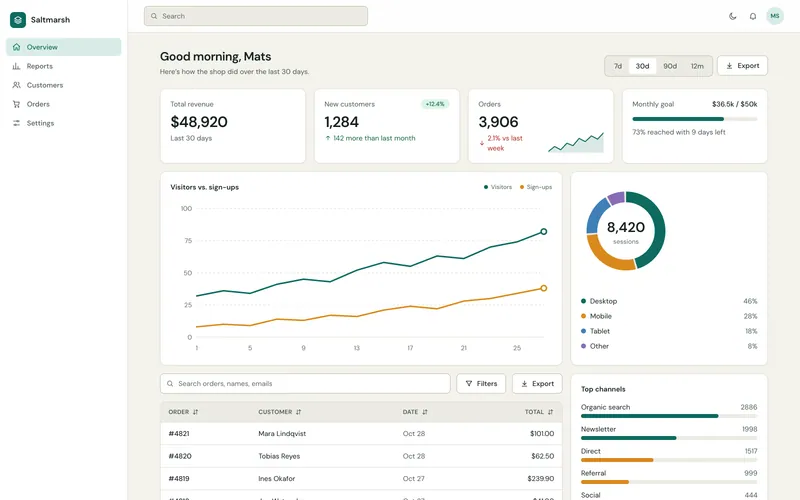
PAL-UI-01 · Small
Dashboard Parts
40 components. Cards, tables, SVG charts, forms.
For parts to drop into a dashboard you already have.
from $19
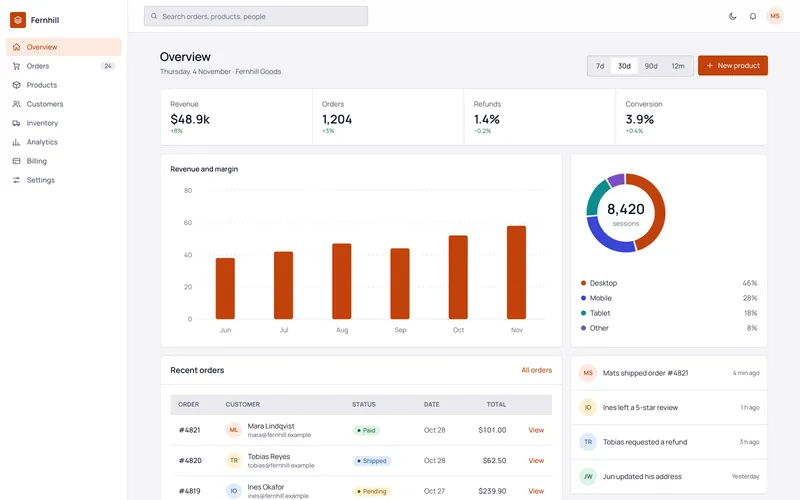
PAL-UI-02 · Mid
Admin Kit
106 components, 10 screens, light and dark.
Pick it if you're building an admin panel from scratch.
from $49
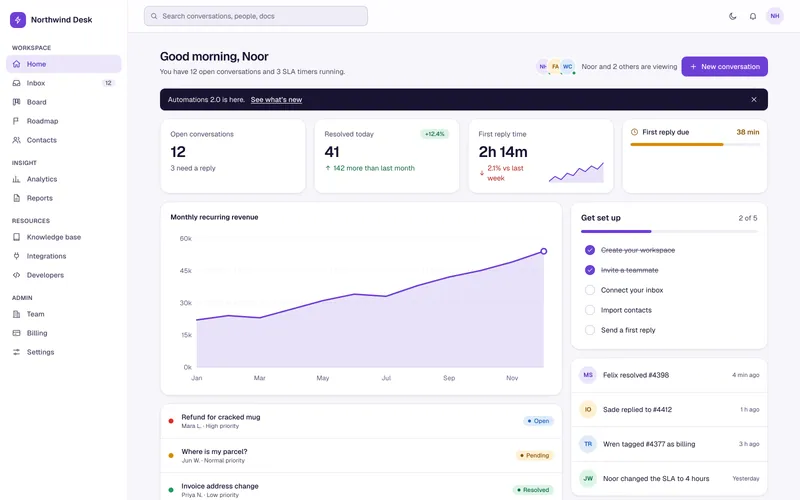
PAL-UI-03 · Large
SaaS App Kit
167 components, 20 screens, design-token CSS.
Pick it if the whole app needs one consistent system.
from $89
Side by side
| Name | Components | Screens | SVG frames | Light and dark | Formats | Files | ZIP size | Personal | Commercial | Extended |
|---|---|---|---|---|---|---|---|---|---|---|
| Dashboard Parts | 40 | 1 | 20 | Yes | HTML, CSS, SVG, PNG | 90 | 2.8 MB | $19 | $39 | $99 |
| Admin Kit | 106 | 10 | 50 | Yes | HTML, CSS, SVG, PNG | 225 | 8.6 MB | $49 | $99 | $249 |
| SaaS App Kit | 167 | 20 | 90 | Yes | HTML, CSS, SVG, PNG | 379 | 16 MB | $89 | $179 | $449 |
What "Figma-importable" means here
Every screen ships as SVG. Figma opens it as vector shapes. Text is converted to outlines, so it isn't editable as live text. You don't get auto-layout or components, because an SVG doesn't carry them.
If you want to edit the design, the HTML is the real source.
Builder Bundle
Bundle: $239 (items bought separately: $287)
$287 − $239 = $48 less
Priced at the Commercial licence.
Want to see our code style first? The free pack has 6 UI snippets. Download the free pack
Quick answers
Do I need to run a build?
A compiled CSS file is in each ZIP and the pages open straight from disk. The Tailwind source file is included in case you want to rebuild.
Which Tailwind version?
See "Built for" on each product page. It's listed there, not guessed.
Is there backend code?
No. These are front-end kits. No login logic, no database.